Guía de instalación the APP

- PASO 1
Haz clic en 'Instalar App' para descargar.

- PASO 2
Si aparece una alerta de seguridad, selecciona [Ajustes].
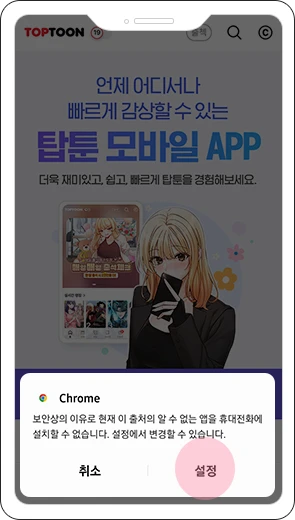
- PASO 3
Permite 'Fuentes desconocidas', luego regresa.
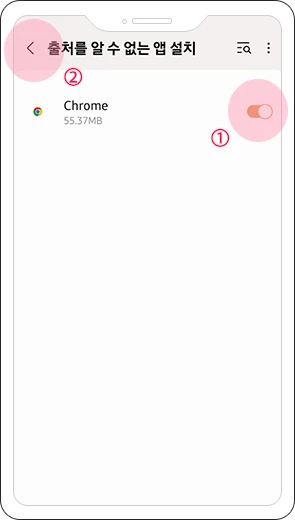
- PASO 4
Pulsa 'Instalar' para completar.
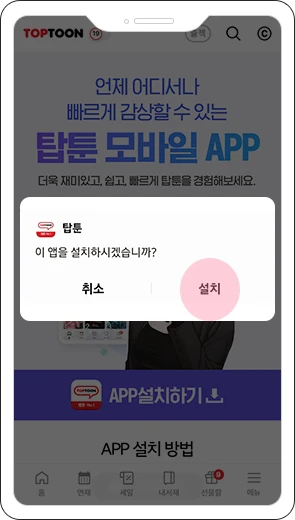

- PASO 1
Haz clic en 'Instalar App' para descargar.

- PASO 2
Pulsa Instalar en el pop-up.
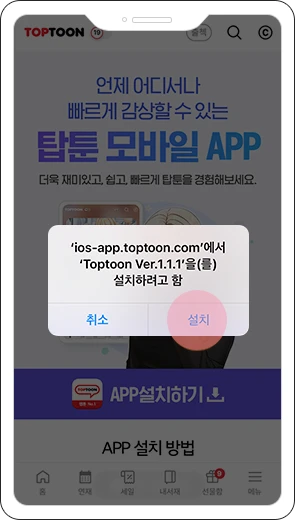
- PASO 3
Si aparece 'Desarrollador no fiable':
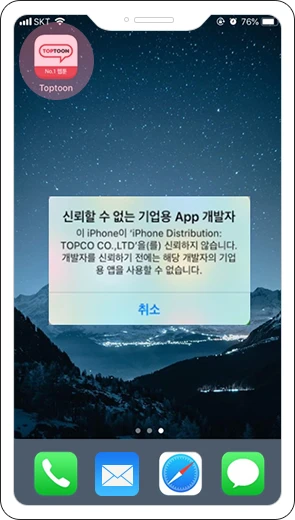
- PASO 4
Ve a [Ajustes] → [General].
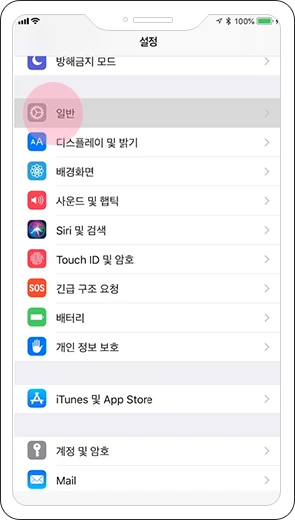
- PASO 5
Pulsa [Gestión de dispositivos y VPN].
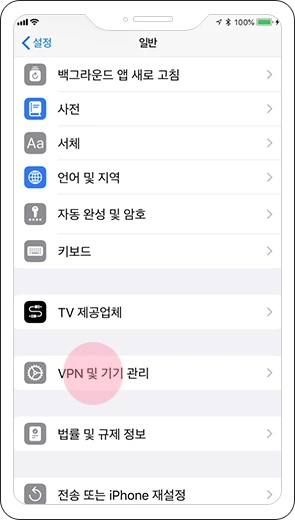
- PASO 6
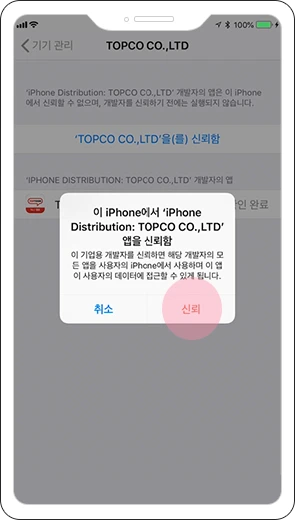
Selecciona [Confiar en TOPCO CO.,LTD].
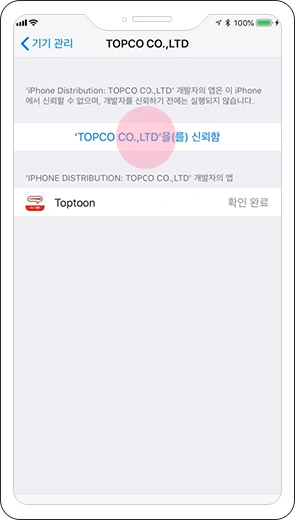
- PASO 7
Pulsa [Confiar] para finalizar.
- PASO 8
Puedes reiniciar la app instalada.



- PASO 7
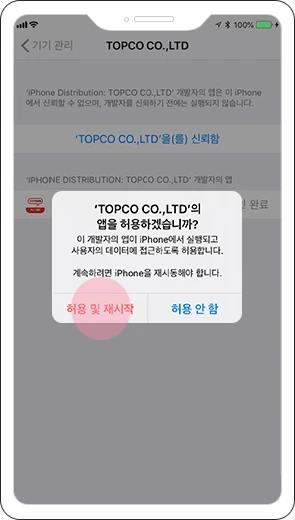
Please click [Allow and Restart] to restart the app.
- PASO 8
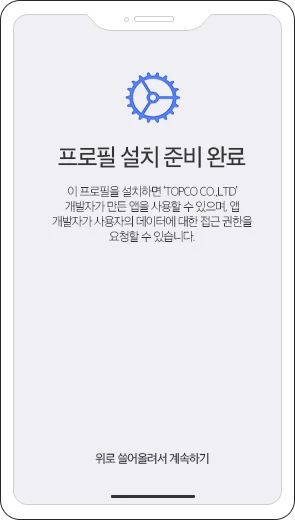
During the restart process, the profile installation screen will be displayed.
- PASO 9
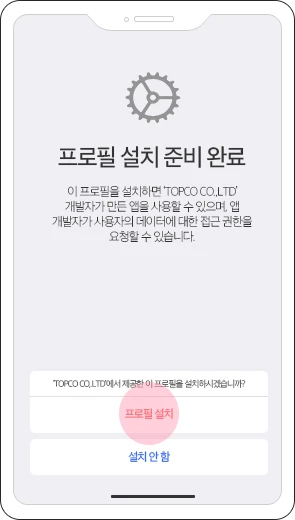
Please click [Install Profile] to proceed.
- PASO 10
You can use it by re-running the installed Traverse app.