Install Guide the APP

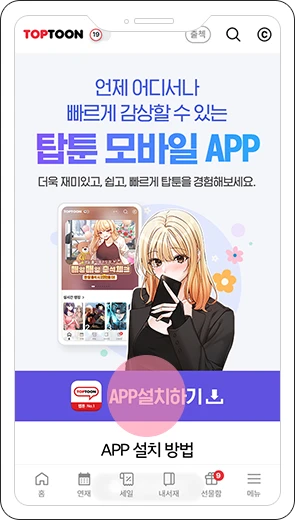
- STEP 1
Click 'Install App' to start download.
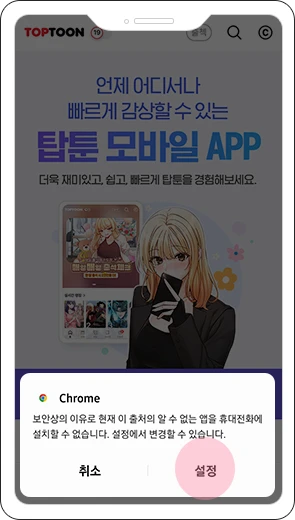
- STEP 2
If a security alert appears, select [Settings].
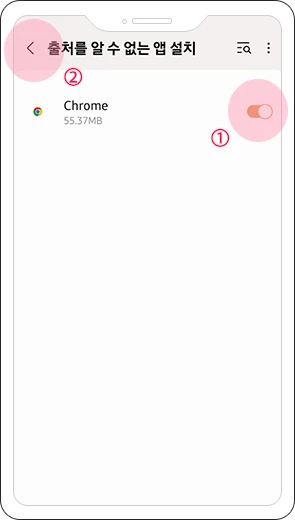
- STEP 3
Allow 'Unknown Sources', then go back.
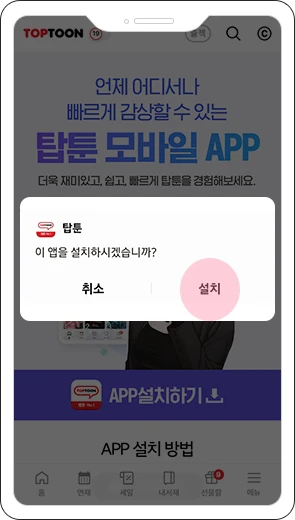
- STEP 4
Click 'Install' to complete setup.

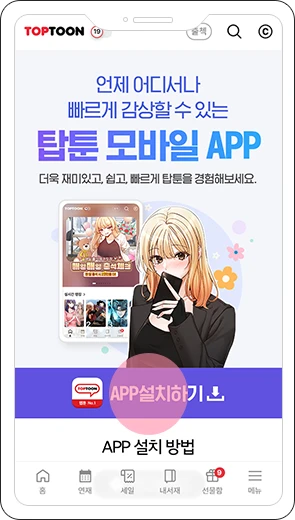
- STEP 1
Click 'Install App' to download.
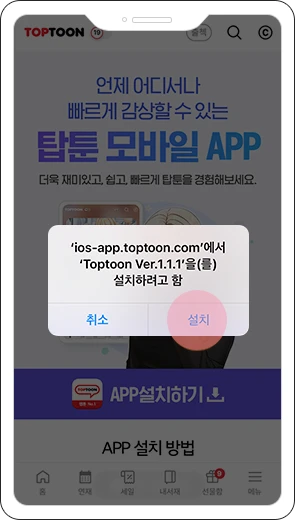
- STEP 2
When the pop-up appears, click Install.
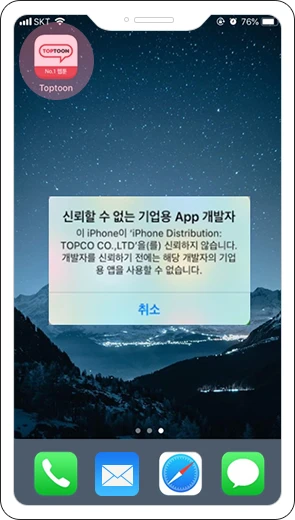
- STEP 3
If an 'Untrusted Developer' alert appears:
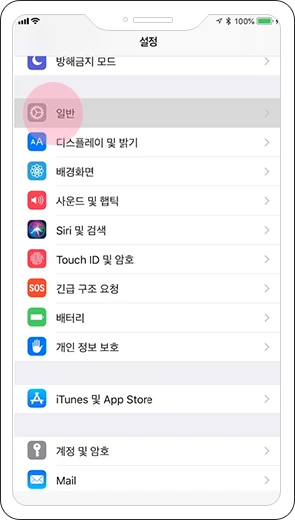
- STEP 4
Go to [Settings] → [General].
- STEP 5
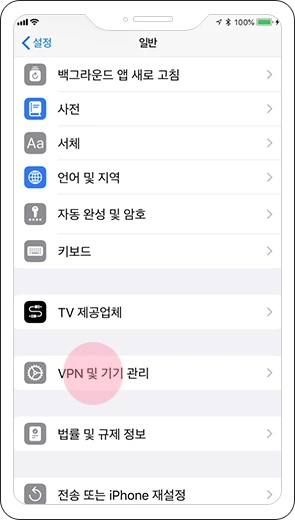
Tap [VPN & Device Management].
- STEP 6
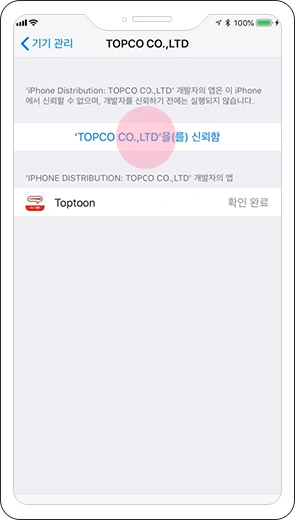
Select [Trust TOPCO CO.,LTD].
- STEP 7
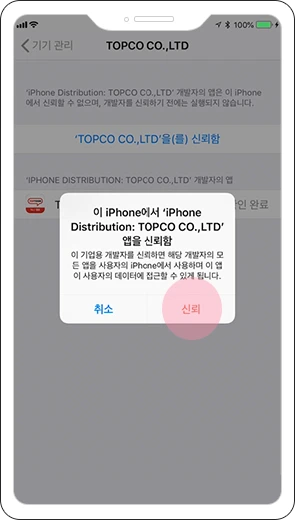
Click [Trust] to finish.
- STEP 8
You can now re-launch the app.



- STEP 7
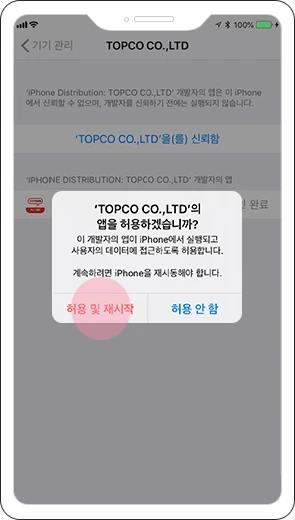
Tap [Allow & Restart] to refresh the app.
- STEP 8
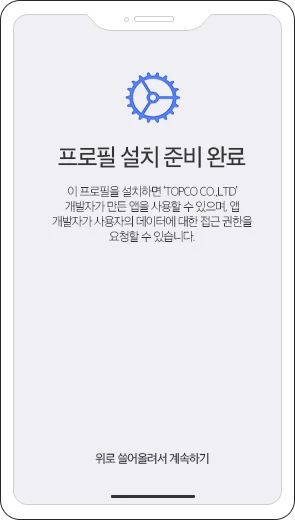
The Profile Installation screen will appear.
- STEP 9
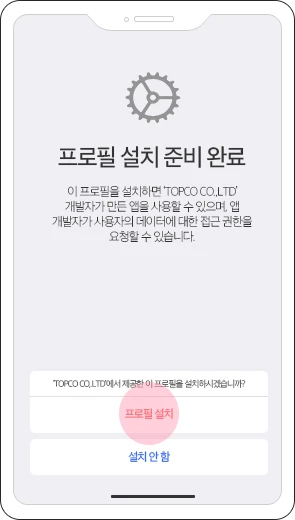
Tap [Install Profile] to proceed.
- STEP 10
Then re-launch the app.